You may want to copy a clean branch from one Git (Hub) repository to other repository. We typically need to do so when we want to share the country version of the ThreeME model without giving access to the model development repository. The same is true if we want to collaborate with external colleagues on a specific development or simulation. This has several advantages: it limits the number of branches in the development repository of ThreeME; it avoids sharing irrelevant Git commits history or branches; this subsequently reduces the size of the Git repository and make the collaborative process more rational and more efficient.
This procedure has several step:
Create a clean branch without history commits from the existing branch you want to share
Clone this clean branch to another repository
2 Create a clean branch without history commits using Git Hub desktop
Open the relevant repository in Git Hub desktop:
Go to the branch you want to clean the history (“branch_with_history”)
Synchronize with the remote !! Delete uncommitted changes !!
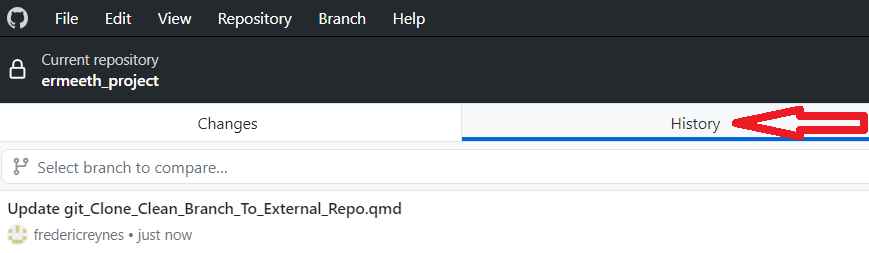
Click on the History tab
In the History tab go back to the initial commit (first commit ever made in the branch). If scrolling down takes too long because of a long history, you may want to use the following short cuts:
Short cut 1: click on any commit, then press the End key
Short cut 2: click on the latest commit, then press the up-arrow ⍐ key
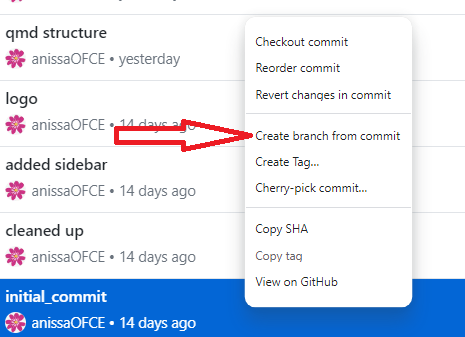
Click-right on the initial commit. On the menu that appears, select Create branch from commit
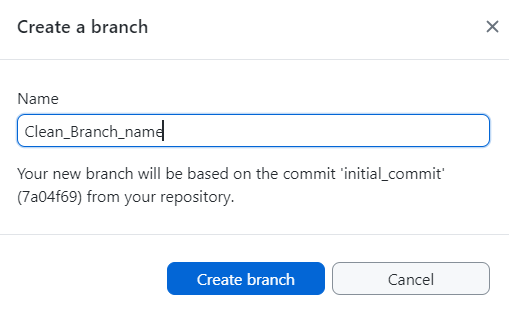
Provide the name and click Create branch
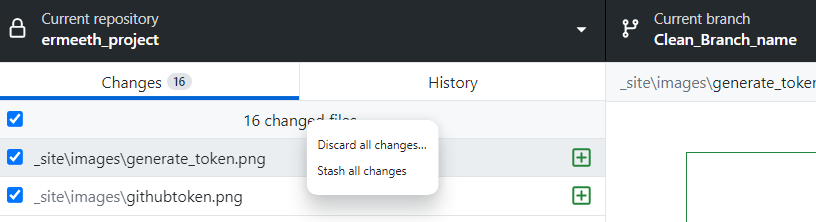
Discard all (eventual) changes
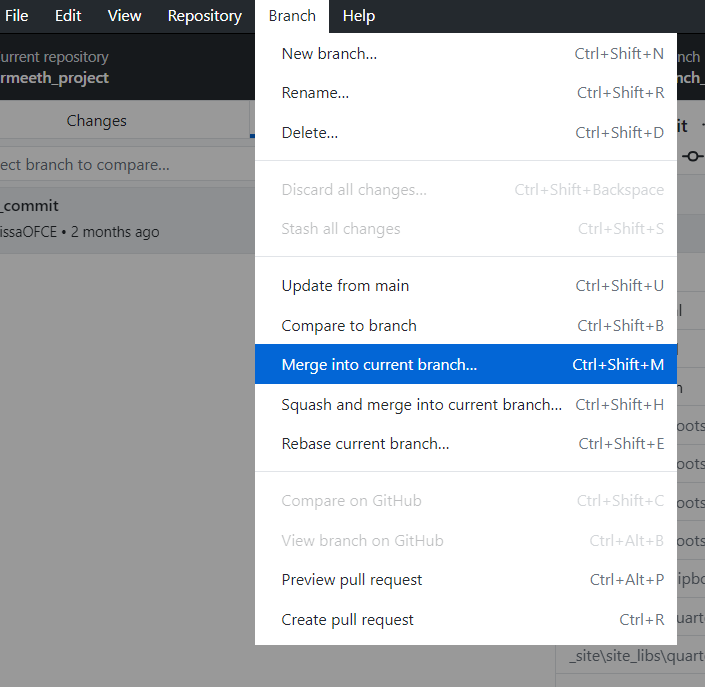
Merge all the commits from branch_with_history into the clean branch
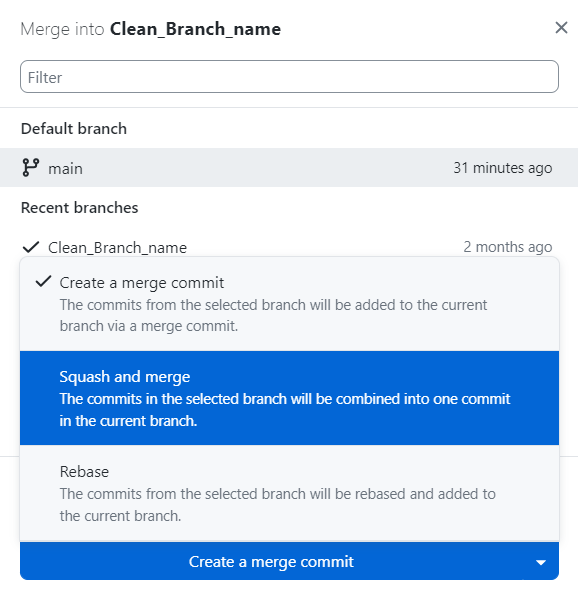
Chose the branch_with_history to be merged into the clean_branch
Use the merge option Squash and merge so that the commits history is combined in only one commit
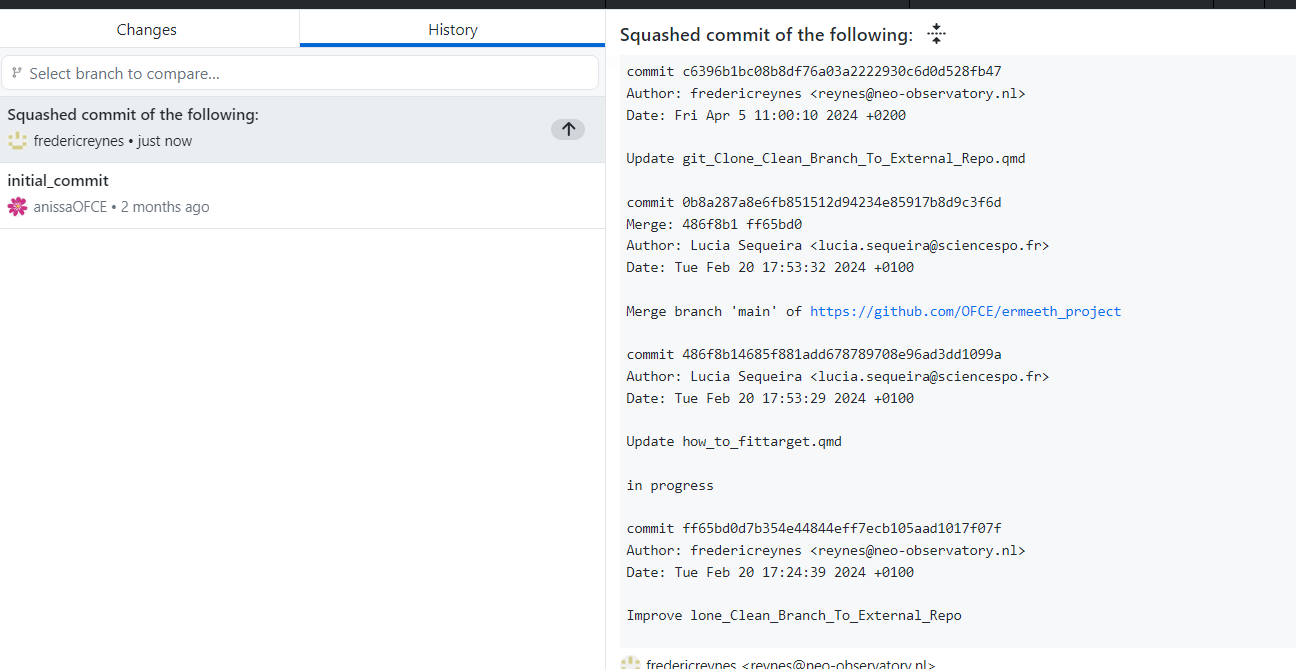
A commit “Squash commit of the following" is created with the list/summary of all the squashed commits in the description commit section:
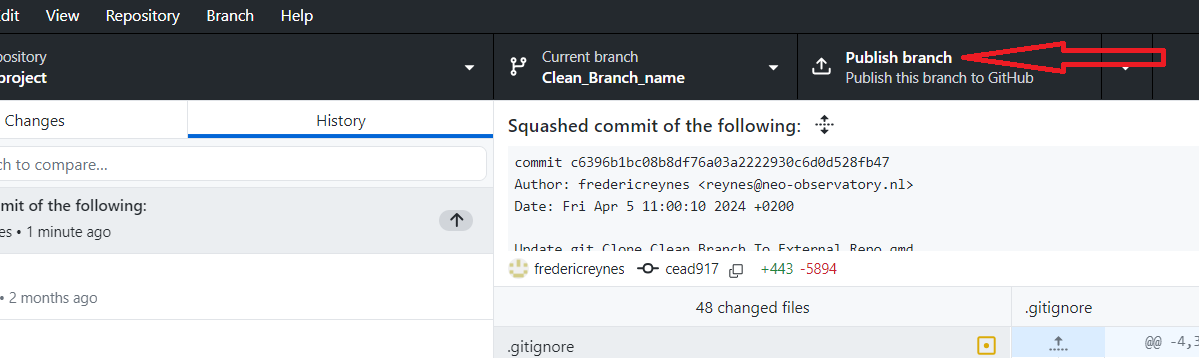
Publish the new branch (clean_branch) on the remote
3 Clone a Branch in another repository
Objective: To push branch_repo1 from repo1 to branch_repo2 in repo2.
Important !! The remote repository repo2 should already have been created on a Git (e.g. Hub, Lab) server.
copy/paste the following chunk into Git Bash (or R Git terminal) after having set the branch1 /repo1 /branch2 / repo2 names. You may be prompt to provide login credentials.
The Git code in the chunk below performs the following steps:
Definition by the user of the relevant repositories and branches names
Creation of a clone of branch_repo1 on your local computer
Push this branch to repository 2 renaming it branch_repo2
AvertissementWarning about the Git code below
This code performs a push force to the target repository (repo2). Any existing branch on repo2 with the exact same name will be overwritten !
Only the section “User configuration: define repositories and branch’s names” should be changed
Copy-Paste in Git Bash
################################################################## User configuration: define repositories and branch's names################################################################ Define repo1's https (NO SPACE ALLOWED!) :repo1=https://github.com/ThreeME-org/bash-repo1.git# Define repo2's https (NO SPACE ALLOWED!) : repo2=https://github.com/ThreeME-org/bash-repo2.git# Branch name in repo1 (NO SPACE ALLOWED!) :branch_repo1=master# Branch name in repo2 (NO SPACE ALLOWED!) :branch_repo2=test01################################################################## Verif configuration###############################################################echo ${repo1}echo ${repo2}echo ${branch_repo1}echo ${branch_repo2}####################################################################### Pushing `branch_repo1` from `repo1` to `branch_repo2` in `repo2`##################################################################### Extract short name of repository 1repo1_shortname=`expr "$repo1" : '.*/\([A-Za-z0-9_\-]*\.git\)'`echo ${repo1_shortname} # Clone bare a single branch from repository 1 to your local computer:git clone --bare --single-branch --branch $branch_repo1 $repo1# Go into the bare repositorycd $repo1_shortname # Add remote_repo2 as a remote for $repo2git remote add remote_repo2 $repo2# Rename the branch to be pushedgit branch -m $branch_repo1 $branch_repo2# Push the branch '$branch_repo2' to server repository $repo2git push --force remote_repo2 $branch_repo2# Remove the temporary local repositorycd ..rm -rf $repo1_shortname